DAIR Prepare, Part 1: The Analyst's Toolkit
The first DAIR step, from the responder's chair: the collection and analysis tools I keep ready before the call comes in.
In the first post, I said this blog would follow DAIR one step at a time. We start with Prepare, and since preparation covers a lot of ground, I’ll split it into several posts. This one is about the analyst’s toolkit; the next one will cover the logs that need to exist before an incident.
The rule I follow is simple: in an incident, tools should be ready to deploy, not to download. The middle of an incident is the worst moment to discover that a tool needs a licence, an approval, a firewall exception, or that you’ve never actually run it.
Below is what I keep ready, organised in three parts: collection, the analysis workstation, and analysis.
1. Collection
The goal of collection is to grab the evidence before it changes or disappears, in the right format, with integrity you can prove.
| Target | Need | My pick | Alternative |
|---|---|---|---|
| Windows / Linux host | Full disk image | FTK Imager | Magnet ACQUIRE |
| Windows host | Memory (RAM) | FTK Imager | WinPMEM |
| Linux host | Memory (RAM) | AVML (can be run by UAC) | LiME |
| Windows host | Targeted offline collection | KAPE | Velociraptor offline collector |
| Linux / macOS host | Targeted offline collection | UAC | Velociraptor offline collector |
| Any host | Targeted remote collection | Velociraptor | GRR |
| Microsoft cloud (M365 / Entra) | Audit, sign-in and mailbox logs | Manual export (Purview / Entra portals) | Microsoft-Extractor-Suite (Invictus IR) |
| AWS | CloudTrail, S3 / VPC logs | Native export (console, AWS CLI) | Invictus-AWS (Invictus IR) |
| Google Cloud / Workspace | Audit logs | Native export (gcloud, admin console) | Mirage (Sygnia, formerly Cirrus) |
Full image or targeted collection? A full disk image is the most complete evidence, but it takes hours and produces hundreds of gigabytes. I keep it for the machines that really matter: patient zero, a server at the heart of the attack, or anything that might end up in court. For everything else, a targeted collection (event logs, registry hives, $MFT, Prefetch, browser history…) gives you most of the answers in minutes. When the attacker may have touched dozens of hosts, Velociraptor lets you run that collection across the whole fleet at once.
Memory first. Memory disappears on reboot, and a well-meaning admin pulling the plug can erase the only trace of a fileless implant. When a machine matters, capture RAM before anything else.
Image in E01 and verify the hash. With FTK Imager, I image to E01: it’s compressed, it stores the hash, and every analysis tool reads it. Always check the verification hash at the end of the acquisition. FTK Imager runs on Windows, but the disk you image doesn’t have to be a Windows one: a Linux server’s disk attached through a write blocker, or a virtual machine’s disk file. On a live Linux host you can’t take offline, use dd or ewfacquire instead. Modern Macs are a different story: the SSD is soldered and hardware-encrypted, so a physical image is rarely practical. On macOS, I rely on a logical collection with UAC instead.
Cloud: export early. Cloud logs have short default retention. Microsoft Entra ID, for example, keeps sign-in and audit logs for only 7 days on the free tier and 30 days with P1/P2. Exporting them is one of the first things I do on a cloud incident, before they roll over.
2. The analysis workstation
I don’t analyse evidence on my everyday laptop. I use a workstation powerful enough to run several virtual machines in parallel (plenty of RAM and a fast SSD), each with its own role:
| VM | Role |
|---|---|
| Customised SANS VM (Windows + Linux via WSL) | Main forensic workstation: Windows and Linux forensic tools in a single machine |
| Linux | Plaso and Timesketch: building and exploring the super timeline |
| Kali Linux | Offensive tools, to reproduce or check what an attacker did |
| SOF-ELK | Searching and visualising large volumes of logs |
| CAPEv2 | Malware sandbox: runs samples in isolated guest VMs and reports their behaviour, network traffic and extracted payloads |
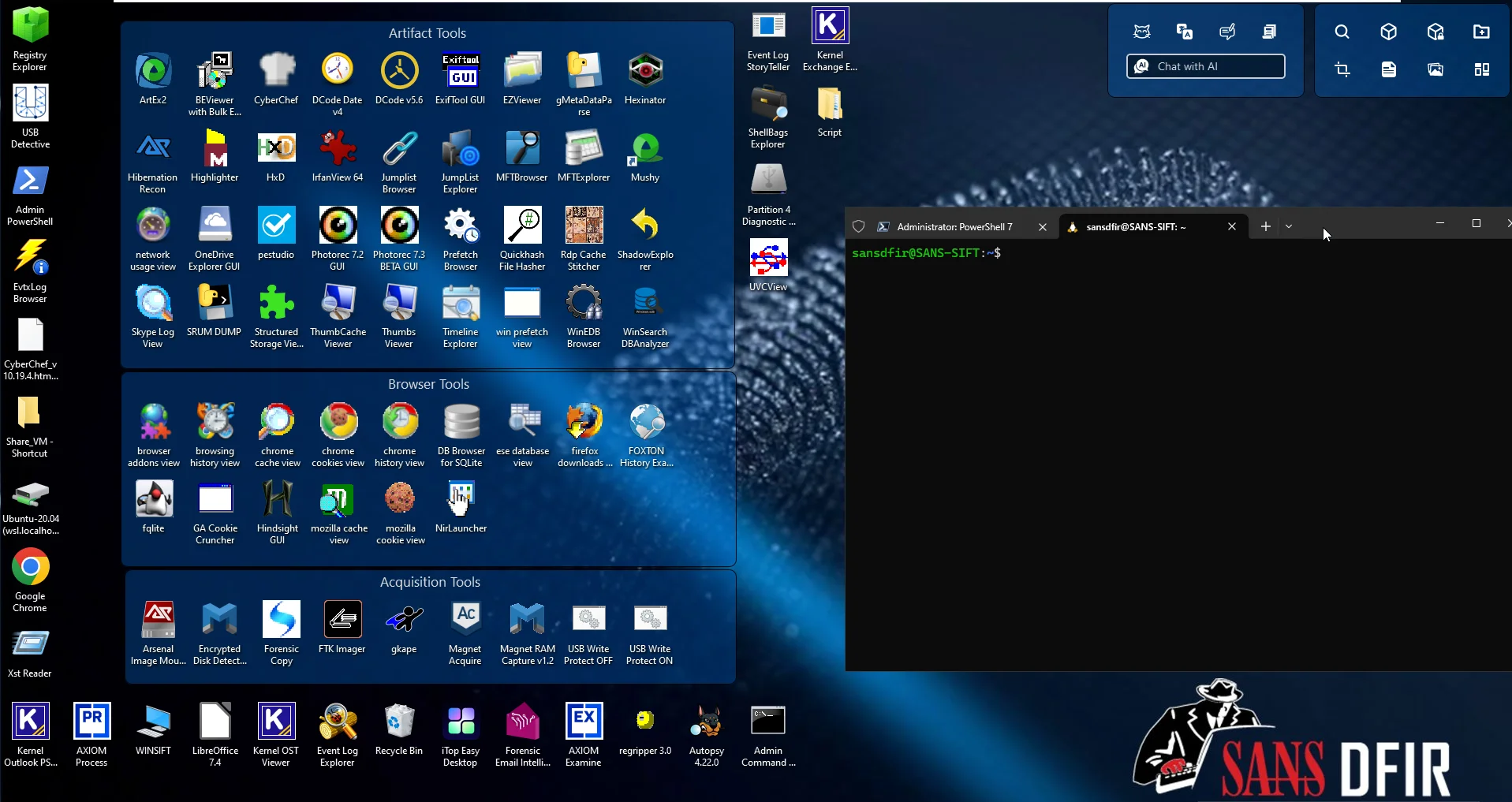 The SANS DFIR forensic VM: Windows forensic tools grouped by artefact, browser and acquisition, with the SANS SIFT Workstation available through WSL.
Separate VMs bring three benefits. Isolation: malware never runs on the machine that holds your evidence. Snapshots: the sandbox goes back to a clean state after each run. Specialisation: each environment stays stable, instead of one machine accumulating conflicting tools.
Running malware safely
When static analysis isn’t enough, I submit the sample to CAPEv2. It runs it in a disposable guest VM and records processes, file and registry changes and network traffic, and it can extract unpacked payloads and malware configurations.
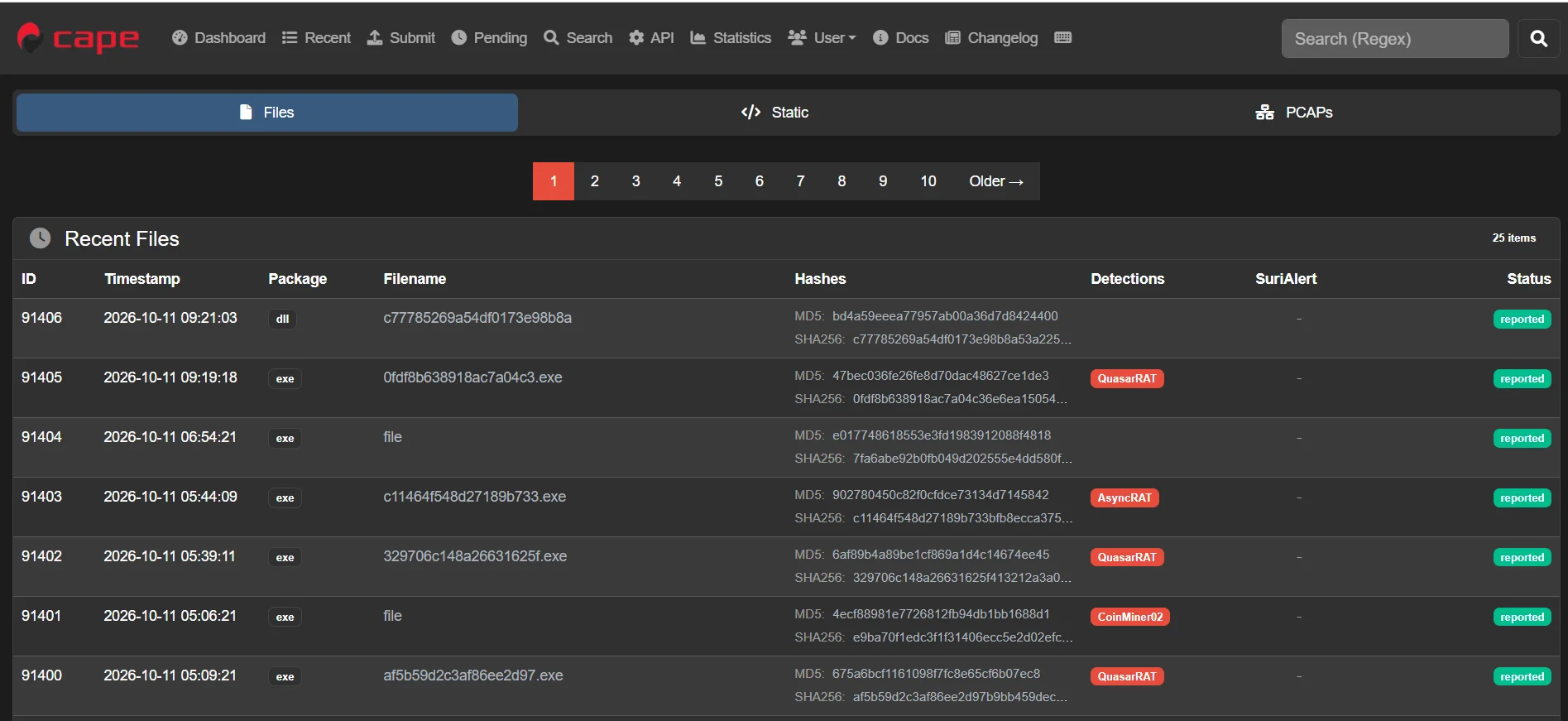 The CAPEv2 interface, here on the public instance capesandbox.com: each sample with its hashes and the malware family detected.
Keep the sandbox on an isolated network, never on your real one. Some malware detects virtual machines and behaves differently, so a quiet run doesn’t prove the sample is harmless.
Beyond the workstation
When an incident involves several analysts or many hosts, you also need shared infrastructure: a Velociraptor server, a case management platform, a shared Timesketch and a threat intelligence platform. That’s the topic of Part 3 of Prepare.
3. Analysis
| Need | Tools |
|---|---|
| Endpoint scan (IOCs, YARA) | THOR Lite (Nextron Systems, free) or THOR (paid, for enterprise use) |
| Windows event logs (EVTX) | Hayabusa, Chainsaw, Zircolite, DeepBlueCLI |
| Windows artefacts and KAPE output | Eric Zimmerman’s tools, RegRipper |
| Memory | Volatility 3 + VolWeb, MemProcFS |
| Super timeline | Plaso + Timesketch, OSForensics (paid) |
| UAC output and generic logs | Excel, Notepad++, Timeline Explorer, grep / cut / cat |
| Exported cloud logs | CSV in Excel, SOF-ELK |
| Malware | CAPEv2 |
A few notes on how I use them:
- THOR is often the first thing I run on a suspicious host or a mounted image: a quick compromise assessment with IOCs and YARA rules, before diving into individual artefacts. THOR Lite is free; the full THOR, with a much larger rule set, requires a commercial licence for enterprise use.
- For event logs, I use several tools on purpose. Hayabusa, Chainsaw and Zircolite all apply Sigma rules but with different engines and outputs, and DeepBlueCLI catches a few classic patterns quickly. When one misses something, another often catches it.
- Eric Zimmerman’s tools (MFTECmd, PECmd, RECmd, EvtxECmd…) are the standard way to turn KAPE output into readable CSV, and Timeline Explorer is the best way to read those CSVs.
- VolWeb puts a web interface on top of Volatility 3, which makes memory analysis easier to share with a team. MemProcFS takes another approach: it mounts the memory dump as a file system you can browse.
- Plaso + Timesketch build one timeline out of everything, and let several analysts search and annotate it together.
- And sometimes, the best tool is still
grep. On a Linux collection or a strange application log, a few lines of shell often beat any GUI.
Threat intelligence and enrichment
An IP, a hash or a domain on its own says little. Enrichment answers the first questions: is it known, what is it linked to, and is it worth digging into? These are the online services I use, by type of question:
| Question | Services |
|---|---|
| Reputation of an IP, hash, domain or URL | VirusTotal |
| What is behind this IP? | Shodan, Censys, Spur (VPN, proxy, residential), AbuseIPDB (abuse reports) |
| What is behind this domain? | DNSDumpster, SecurityTrails, crt.sh (certificates), DomainTools Whois |
| Is this URL malicious? | urlscan.io, URLCheckup |
| How does this file behave? (sandbox) | Triage, Hybrid Analysis, ANY.RUN (interactive) |
| Is this Windows process normal? | EchoTrail |
| Phishing email analysis | PhishTool, MXToolbox (email headers) |
| Decode or deobfuscate (Base64, PowerShell, URLs…) | CyberChef |
| Have these credentials leaked? | Have I Been Pwned, Intelligence X, DeHashed |
| Enterprise threat intelligence (paid) | SOCRadar, Hudson Rock (infostealer data) |
Most of these offer a free tier that’s enough to get started; the enterprise platforms are worth it when monitoring leaks and threats becomes a continuous need.
Be careful with what you submit. Anything uploaded to a public service such as VirusTotal or a public sandbox can be seen by others, including the attacker. For a sensitive client file or a targeted sample, search the hash first rather than uploading the file, or use a paid licence that allows private analysis.
4. Keeping the kit ready
A toolkit only helps if it works on the day:
- Keep an offline copy of your collection tools on encrypted media. During ransomware, the file share or cloud tenant where you stored them may be part of the problem.
- Update regularly: Velociraptor, KAPE targets, Sigma rules, YARA rules and THOR signatures all go stale.
- Check licences before you need them, for every commercial tool in your kit.
- Prepare evidence storage: encrypted disks with enough space for memory and disk images, and a habit of recording hashes and chain of custody.
- Practise end to end: collect memory and a triage package from a test machine, analyse it, and time the whole thing. That’s how you find the missing driver, the expired licence or the forgotten password before an incident does.
Which machine to run all this comfortably? One idea: a mini PC such as the Minisforum AI X1 Pro-470 (Ryzen AI 9 HX 470, 96 GB RAM, 2 TB SSD, built-in power supply, easy to carry), or the more compact GEEKOM A9 Max (same processor, but sold with 32 GB, so plan to add RAM), with Windows 11 Pro + VMware Workstation or Proxmox VE, your choice. It also leaves room to host the shared infrastructure covered in Part 3, if it has to stay local.
Next: Prepare, Part 2: the logs that must exist before the incident, because no tool can recover what was never recorded.
References
Collection
- FTK Imager (Exterro)
- Magnet ACQUIRE
- WinPMEM
- AVML (Microsoft)
- LiME
- KAPE (Kroll)
- UAC: Unix-like Artifacts Collector
- Velociraptor
- GRR Rapid Response
- Microsoft-Extractor-Suite (Invictus IR)
- Invictus-AWS (Invictus IR)
- Mirage, formerly Cirrus (Sygnia)
- Microsoft Entra data retention
Analysis workstation
Analysis
- THOR Lite and THOR scanner comparison (Nextron Systems)
- Hayabusa
- Chainsaw
- Zircolite
- DeepBlueCLI
- Eric Zimmerman’s tools (incl. Timeline Explorer)
- RegRipper
- Volatility 3
- VolWeb
- MemProcFS
- Plaso
- Timesketch
- OSForensics
Threat intelligence and enrichment
- VirusTotal
- Shodan · Censys · Spur · AbuseIPDB
- DNSDumpster · SecurityTrails · crt.sh · DomainTools Whois
- urlscan.io · URLCheckup
- Triage · Hybrid Analysis · ANY.RUN
- EchoTrail · PhishTool · MXToolbox · CyberChef
- Have I Been Pwned · Intelligence X · DeHashed
- SOCRadar · Hudson Rock
Need help with an incident? Through Cyber Horizon, I offer incident response for businesses in Belgium and beyond. Learn more about incident response or get in touch.